Platforming and collection have been paired for so long that the combination looks obvious. It is not. Plenty of formats carry collectibles and most of them treat the collectibles as a layer on top of the real game. Platforming is different, because a platformer's core verb — the jump — traces a path through space, and a path through space is exactly the thing a collectible layout can describe.
The arc is the instruction
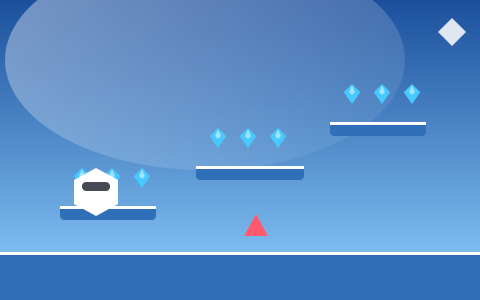
Here is the single most useful idea in this guide: in a well-built collection platformer, an arc of gems is a drawing of the jump you are meant to make.
The apex of the arc sits at the apex of the jump. The horizontal spacing matches the character's running speed. The first gem sits where the jump should begin and the last sits where it should land. None of that is decorative — the designer solved the trajectory and then placed gems along it.
Three consequences follow.
The layout teaches without a tutorial. A player who has never seen the game can look at an arc and know the gap is jumpable, roughly where to start, and roughly how high to go. No text, no tooltip, no rule.
Collection becomes a measurement of execution. If you collect the whole arc, your jump was right. If you clipped the front, you jumped late. If you got the front and missed the back, you started too far from the edge. The gems are a live readout of a skill that is otherwise invisible.
The designer can rate difficulty by arc shape. A shallow, wide arc is an easy jump. A tall, narrow one is a precision jump. A designer can communicate difficulty at a glance without any labelling at all.
This is why Gem Jump Challenge — our expert-tier precision platformer — places every arc exactly on the ideal curve. Nothing in that game is fast, and the arcs are the only feedback a player gets about why a jump failed. They turn out to be enough.
The jump model underneath
For the arcs to mean anything, the jump has to be consistent. Ours is built from four numbers and one rule.
Gravity — between 760 and 2,250 pixels per second squared depending on the game. Low gravity produces long floaty arcs; high gravity produces short snappy ones.
Jump power — the initial upward velocity, between 540 and 800. Together with gravity this fixes the maximum height and the airtime.
Horizontal speed — how fast you are moving when you leave the ground, which sets how far the arc reaches.
Air control — how much you can steer mid-jump, expressed as a fraction of ground control. Between 0.55 and 1.0 across our games.
And the rule: variable jump height. Releasing the button while still rising cuts the remaining upward velocity — to 42 to 45 per cent in our platformers. A tap gives a short hop; a hold gives the full arc; anything in between gives something in between.
That single rule is the biggest factor in how a platformer feels. It turns one binary button into an analogue control, and it means a player can adjust after committing. Platformers without it feel floaty and imprecise no matter how carefully everything else is tuned, because the player has exactly one jump available and must place themselves perfectly for it.
It is also why the most common beginner error in our platformers is holding the button. On a narrow ledge the full arc overshoots. Tapping is the default; holding is the exception.
Coyote time, buffering and other invisible help
Two affordances appear in essentially every competent platformer, and neither is visible to the player.
Coyote time gives you a brief window to still jump after walking off an edge — about 0.12 seconds in ours. It exists because pressing jump at the exact frame you leave a platform is not a skill, it is a coin flip, and losing a run to a two-frame discrepancy teaches nothing.
Jump buffering remembers a press made slightly before you land and fires it the moment you touch down — again about 0.12 seconds. Without it, a player landing and immediately jumping will sometimes simply not jump, which reads as the game ignoring an input.
Both are invisible when they work. Players never think "coyote time saved me"; they think the controls feel good. That is the intended effect.
There is a third, less discussed affordance: generous collection and stingy collision. Gem pickup uses a radius a few pixels larger than the visual; deadly collision uses a box a few pixels smaller. A near miss survives and a near collection succeeds. Neither changes anything the player can see, and together they remove most of the moments where a platformer feels arbitrary.
None of these make a game easier in any meaningful sense. They remove noise, which lets the actual difficulty — reading the layout and executing the jump — be the thing that decides the outcome.
How a collection platformer is laid out
Our platformer stages are generated, but from a structure rather than from noise. The pieces:
A floor, with gaps that increase in number and width as stages progress. Early stages have a continuous floor, which means falling is not yet possible and a player can learn the jump safely.
A platform ladder — a chain of platforms climbing across the stage, with vertical rises capped at what the jump can actually clear and horizontal runs capped at what the speed can reach. The cap is the important part: the generator cannot produce an unreachable platform, because the parameters that would do so are outside its range.
Gem patterns over each platform, chosen from lines, arcs and vees, sized to the platform they sit above.
A floor-level wave that gives a route along the bottom for players who do not want to climb immediately.
Two to four high-value gems in deliberately awkward positions, marked with warning rings.
Hazards, placed relative to platforms rather than absolutely — spikes on platform tops, cutters patrolling between them, drones drifting on fixed routes.
An exit, in the games that use one, at the far end of the ladder.
Generating relative to structure rather than absolutely is what keeps the stages coherent. A hazard is always on something; a gem pattern is always above something; a platform is always reachable from the previous one. Layouts vary a great deal and remain solvable every time.
Reading a layout before you move
The advantage a platformer gives you over a runner is that nothing moves until you do. That is an enormous affordance and most players waste it by starting immediately.
A short reading routine, in order:
Find the extremes. The highest platform and the furthest corner. These are where the awkward gems live and where the route ends.
Find the ringed gems. High-value gems are always in the hardest position on the stage. Knowing where they are before you start means you can take them at a moment of your choosing rather than stumbling into them.
Watch one cycle of each moving thing. Drifting platforms and patrolling hazards both run on fixed cycles. A few seconds of observation gives you their entire future behaviour.
Pick an order. On a wide stage, route order matters more than execution — the difference between a clean sweep and constant backtracking. Clear far corners while your multiplier is still low; leave the easy middle for last.
Then move. Once you have a route, commit to it. Re-planning mid-stage is how multipliers get lost.
Moving platforms change the problem
Once a platform drifts, a route stops being a sequence and becomes a timing problem — and the two require different thinking.
The key technique: jump while the platform is travelling toward your target. You inherit its horizontal motion, which extends your reach for free. Jumping while it moves away costs you the same amount in the other direction, and that difference is often larger than the difference between a good jump and a bad one.
The second technique is to decide on the ground. Mid-air control in most platformers is deliberately weaker than ground control — 0.55 to 0.8 in ours — precisely so that the take-off decision matters. Trying to correct a badly timed jump in mid-air mostly does not work, and the attempt usually makes the landing worse.
Moon Crystal Hopper is the deliberate exception: low gravity with full air control, so a long arc genuinely can be flown and corrected. The clusters there are placed off the natural arc specifically to require it, which makes it the one platformer on the site where mid-air steering is the primary skill rather than a backup.
When the ground fights back
Changing a platformer's horizontal movement model changes its character more than changing its jump does.
Ice Crystal Run uses the same jump as our other platformers and cuts deceleration from 3,400 to 900. That is the only meaningful change, and it reshapes the whole game: landing on a small ledge is no longer about jumping accurately but about arriving at the right speed, which means the decision was made two platforms ago.
Pixel Gem Adventure goes the other way, lowering both acceleration and braking to produce a heavier, more deliberate feel that suits a very wide stage built for exploring rather than sprinting.
The general principle is worth remembering when a platformer feels wrong: if you are failing at the jump, it is a jump problem; if you are failing at the landing, it is usually a movement problem. Those need different corrections, and players who conflate them tend to practise the wrong thing.
Diagnosing your own mistakes
Finally, the practical payoff. Because gem arcs are drawn on jump curves, the pattern of what you collected tells you what went wrong.
| What happened | What it means | The fix |
|---|---|---|
| Missed the first gem or two of an arc | You jumped late | Start the jump earlier, from the same position |
| Got the front, missed the back | You jumped from too far back | Run closer to the edge before jumping |
| Sailed over the whole arc | You held the jump button | Tap instead of hold |
| Collected the arc but missed the platform | Not enough horizontal speed | Build speed on the approach |
| Landed but slid off | Arrived too fast | Brake earlier on the approach |
| Failed the same gap repeatedly | Approach position, not timing | Change where you start, not when |
That last row is the one worth internalising. When a jump keeps failing, almost everyone tries to fix the timing, and almost every time the problem is the approach. Changing where you start a jump fixes more failures than changing when you press.
Key takeaways
- A gem arc drawn on the ideal jump curve turns the reward into feedback on your execution.
- Variable jump height turns one button into an analogue control and is the single biggest factor in how precise a platformer feels.
- Coyote time and jump buffering are invisible affordances that remove noise without removing difficulty.
- Missing the front of an arc means you jumped late; missing the back means you jumped from too far away.
- On drifting platforms, jump while the platform is moving toward your target — you inherit its momentum.
Frequently asked questions
Why are gems arranged in arcs above gaps?
Because the arc is drawn on the jump curve for that gap. Collecting the whole arc means you executed the jump correctly, which makes the gems a live diagram of the input rather than a decoration.
What is coyote time?
A short window — about 0.12 seconds in our games — during which you can still jump after walking off an edge. It exists because human timing is not frame-perfect, and punishing that is noise rather than difficulty.
What is jump buffering?
A press made slightly before you land is remembered and fires the moment you touch down. Without it, a player who presses a fraction early simply does not jump, which feels like the game ignoring them.
Why do I keep overshooting small platforms?
Almost always because you are holding the jump button. Variable jump height means a tap produces a short hop; holding gives the full arc. On narrow ledges the full arc is usually too much.
How do I deal with moving platforms?
Read the direction before you jump, not during. Mid-air control is deliberately weaker than ground control in most platformers, and jumping while the platform moves toward your target gives you its momentum for free.
Put it into practice
Reading about collection routes only gets you so far. Pick a game and try one idea from this guide on your next run.